> ## Documentation Index
> Fetch the complete documentation index at: https://docs.videowise.com/llms.txt
> Use this file to discover all available pages before exploring further.
# Launch a live stream
> Open a specific live show with videowiseLaunchLive or the vwLsId URL parameter.
Use this when you want to open **one live show**, not the full channel page.
To embed the live shopping **channel** (or split it into modular sections), see [Channel page layout](/live-shopping/channel-layout).
### Opening the live stream player with Videowise's global helper function
Videowise provides a helper on `window` that opens the live stream player from any page. Attach it to a click handler and pass the live stream ID from the Videowise app.
```js Launch live stream theme={null}
window.videowiseLaunchLive("live-stream-id-here");
```
On React Native, pass the same ID as `lsId` on `LiveShoppingChannel`. See [Live Shopping Channel](/sdk/live-shopping-channel).
### Auto-launching the live stream player via URL parameter
When `vwLsId` is present in the page URL and contains a valid live stream ID, the player launches automatically. Use this for shareable links that start playback on load.
```js Auto-launching theme={null}
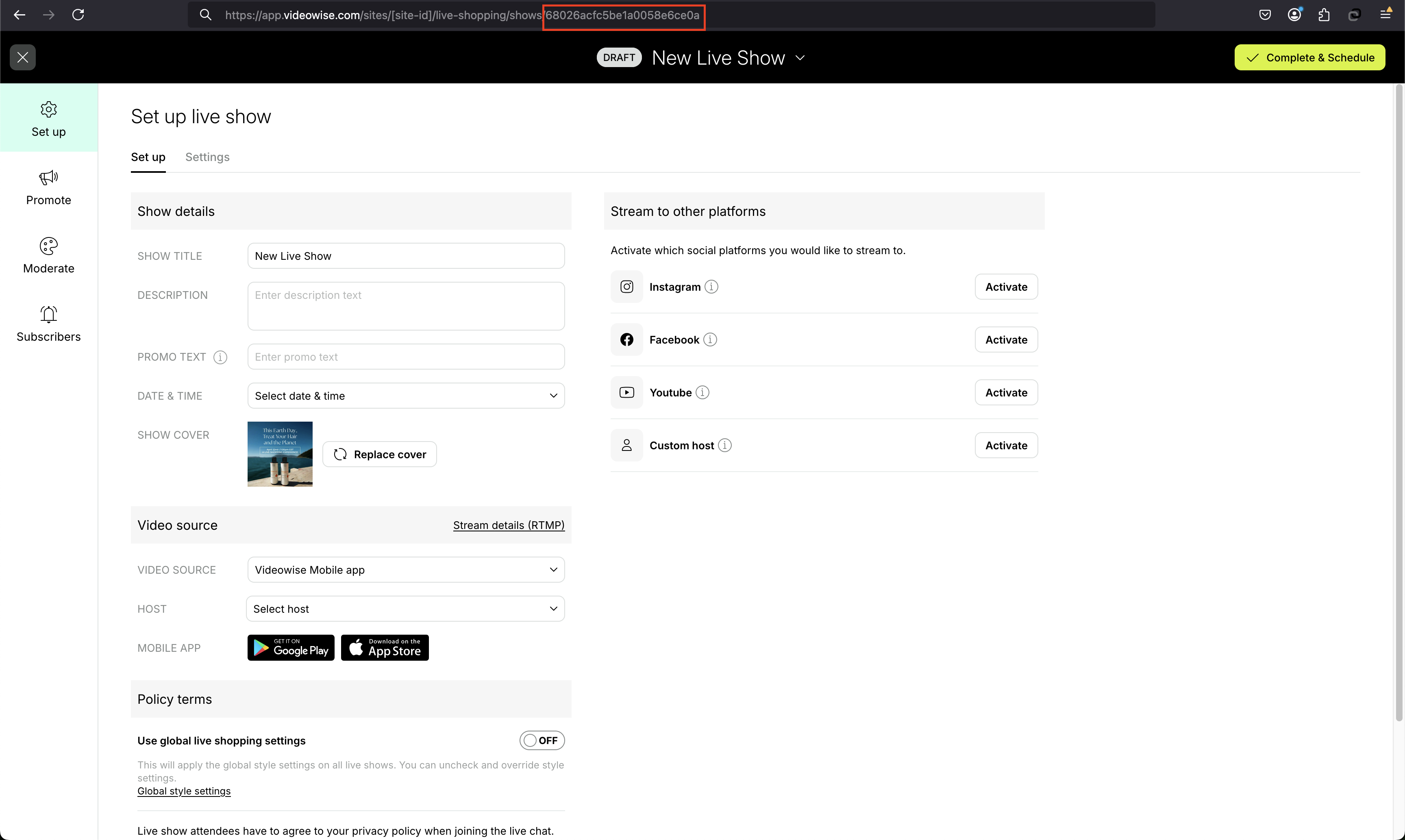
https://example.com/?vwLsId=68026acfc5be1a0058e6ce0a
```
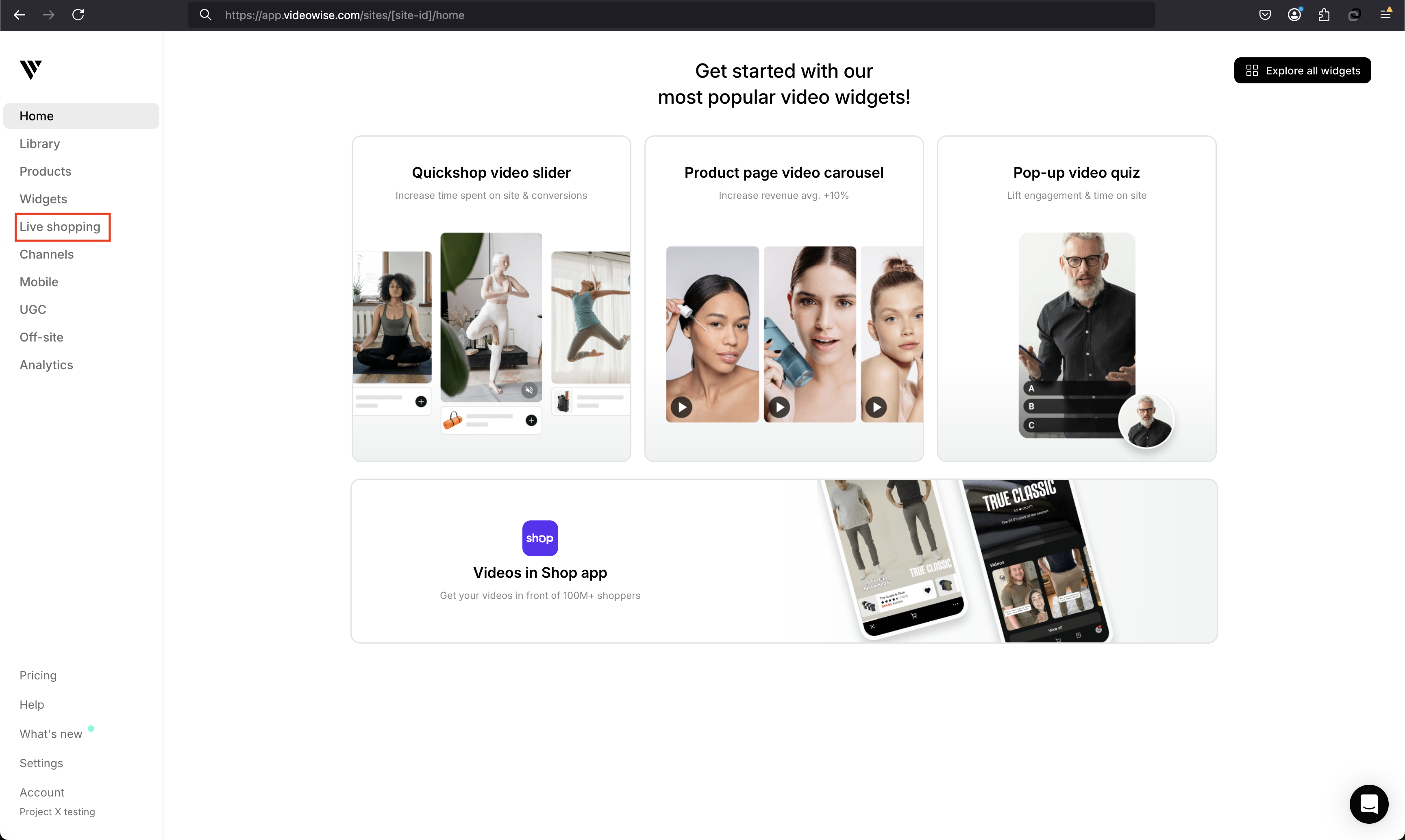
#### 1. Go to live shopping
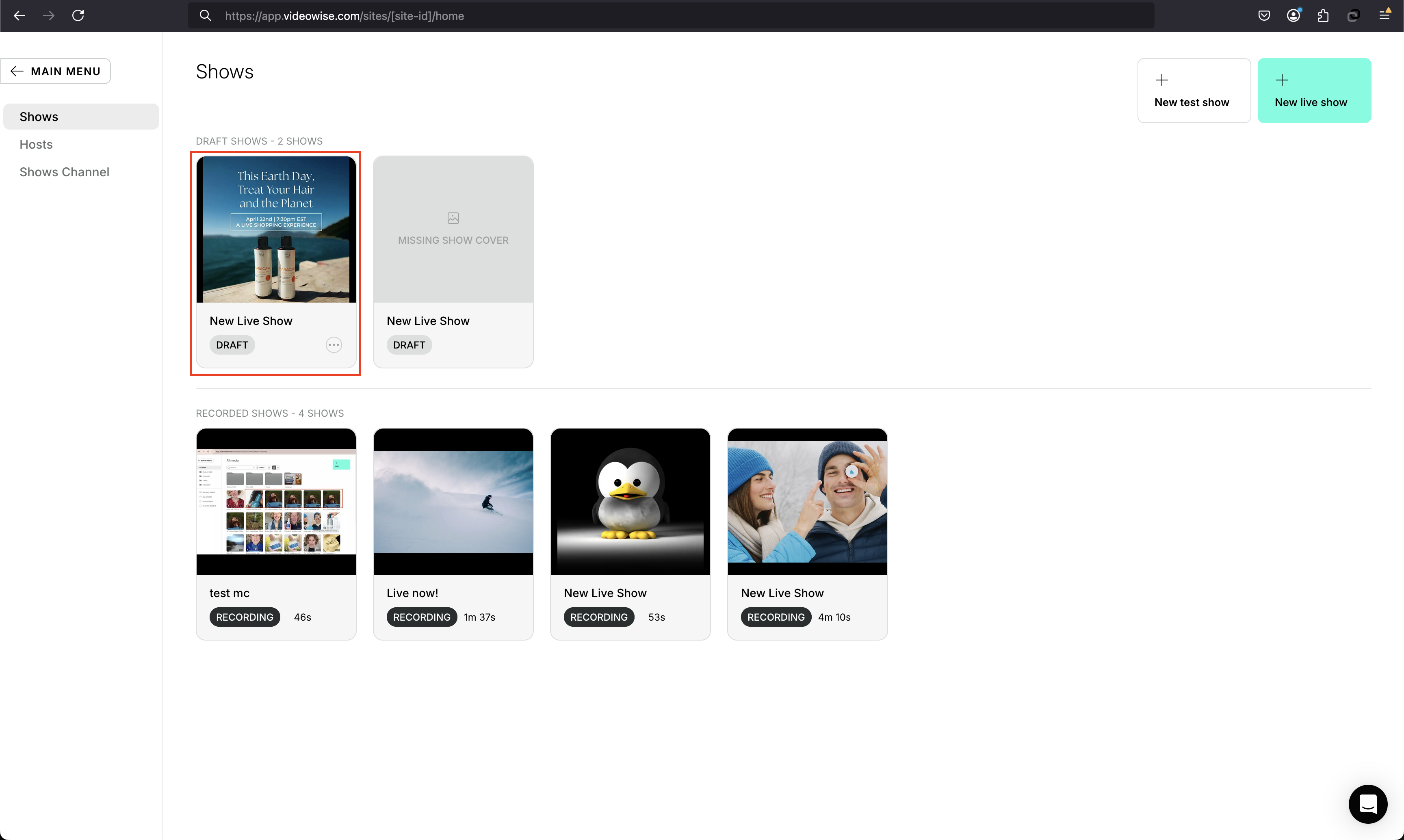
 #### 2. Open the live show
 #### 3. Copy the ID from the URL
 ## Related
* [Live shopping overview](/live-shopping/overview)
* [Channel page layout](/live-shopping/channel-layout)
* [Live shopping custom events](/live-shopping/custom-events)
* [Custom platforms](/shoppable-videos/custom-platforms#live-shopping-channel-on-custom-platforms)
* [Order tracking](/live-shopping/order-tracking) — attributes live checkouts via `reeview_lsid`
* [Cookies](/cookies) — `reeview_lsid` is set when a show is opened
## Related
* [Live shopping overview](/live-shopping/overview)
* [Channel page layout](/live-shopping/channel-layout)
* [Live shopping custom events](/live-shopping/custom-events)
* [Custom platforms](/shoppable-videos/custom-platforms#live-shopping-channel-on-custom-platforms)
* [Order tracking](/live-shopping/order-tracking) — attributes live checkouts via `reeview_lsid`
* [Cookies](/cookies) — `reeview_lsid` is set when a show is opened